# Retargeting Apps/Sites Visitors Audience
Creating an App & Site Audience allows to retarget users who have visited specific Apps&Sites and show them relevant ads when they visit other websites.
---
#### **How to create an Apps/Sites Visitors Audience:**
#### **Step 1: Accessing the Audience Management Feature**
1. **Log in** to your **Eskimi DSP** account.
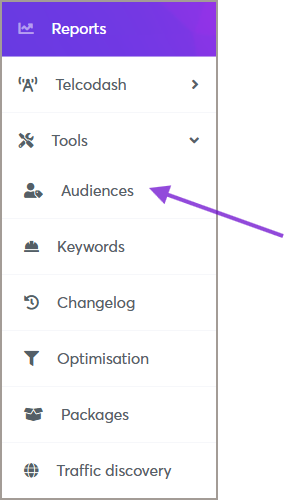
2. Navigate to the **Tools** menu (left side of the dashboard).
3. Click on **Audiences** to access the audience management page.
[](https://manual.eskimi.com/uploads/images/gallery/2025-09/xvOhPTIRkdoP2Lux-image.png)
---
#### **Step 2: Creating a New Behavioral Audience**
1. On the **Audiences** page, click the **Add Audience** button (top right corner).[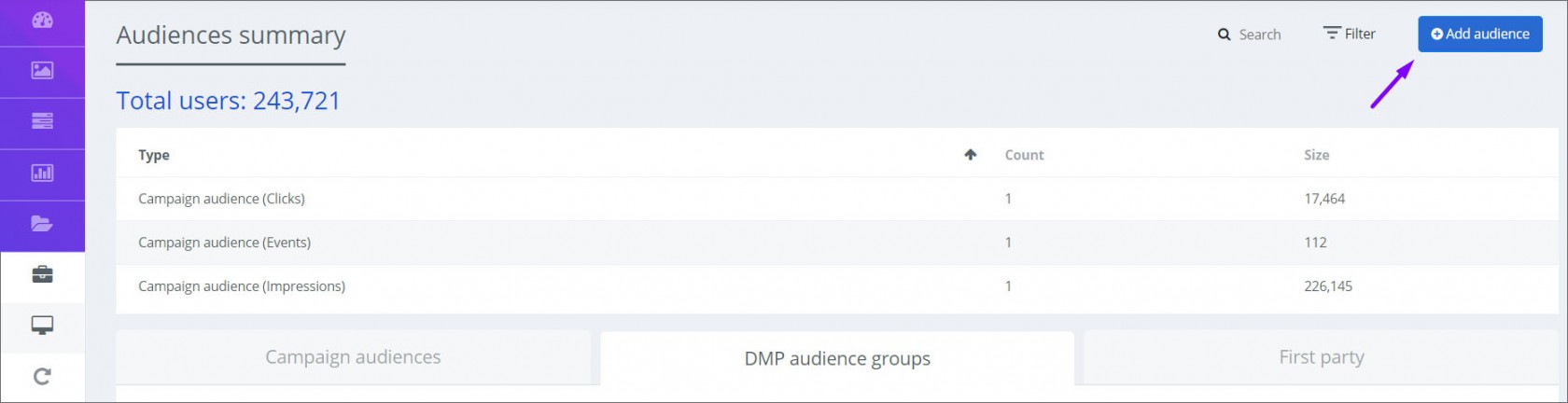](https://manual.eskimi.com/uploads/images/gallery/2021-01/app-2-ps.jpg)
2. A new window will appear—fill in the required information:
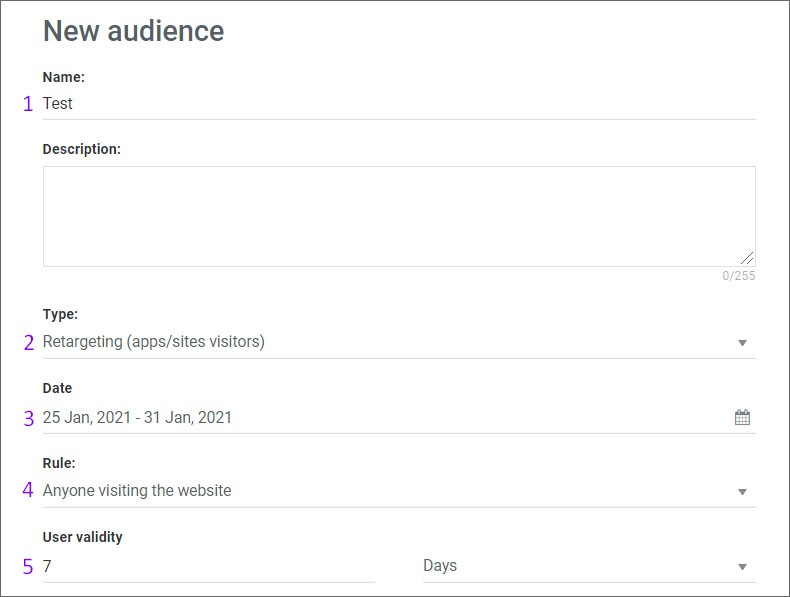
- **Audience Name**: Enter a descriptive name for your audience.
- **Type**: Select **Retargeting (Apps/Sites Visitors*****)*** as the audience type.
- **Date:** Choose date interval - here you indicate how long the audience will be collected
- **Rule:** Choose Rule - Anyone visiting the website (means that users will be collected from all sections of the site/app) OR Users visiting specific web pages (means that users will be collected from a specific section of the site/app (then you will need to indicate keyword for the specific section))
- **User Validity:** Indicate the user validity - here, you indicate how long the collected audience will be stored
[](https://manual.eskimi.com/uploads/images/gallery/2021-01/app-3-ps.jpg)
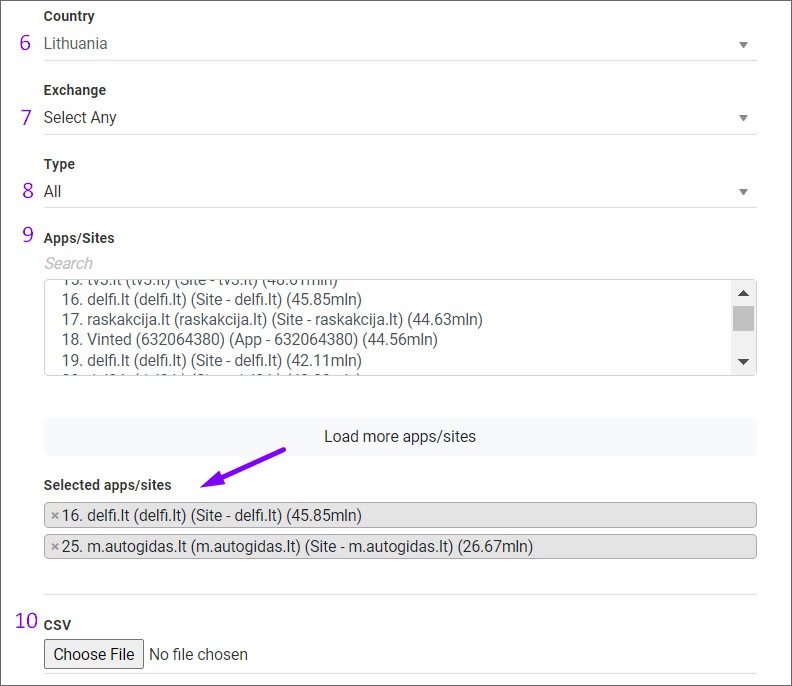
- Country: Indicate the country from which you want the audience to be collected.
- Exchange: Also, you can choose from which exchange and what type of audience should be collected.
- Apps/Sites: Then you will need to choose Apps/Sites you wish to collect users from.
There are 2 methods to choose Apps/Sites.
1) The first method is to enter a site name in the search column and select the required one. Then the selected sites will appear in a separate list.
2) The second method is uploading apps/sites names from the CSV file. CSV file requirements - sites/apps must be entered in a column without additional characters (such as semicolons, spaces, etc.). So it is basically a domain name or app bundle if this is an app.
[](https://manual.eskimi.com/uploads/images/gallery/2021-01/app-4-ps.jpg)
- Hit "Save" and your created audience will be saved in the list under First party. After the audience is updated by the system, you will see the audience pool gathered.
---
#### **Step 3: Retargeting Apps/Sites Visitors Audience to a Campaign**
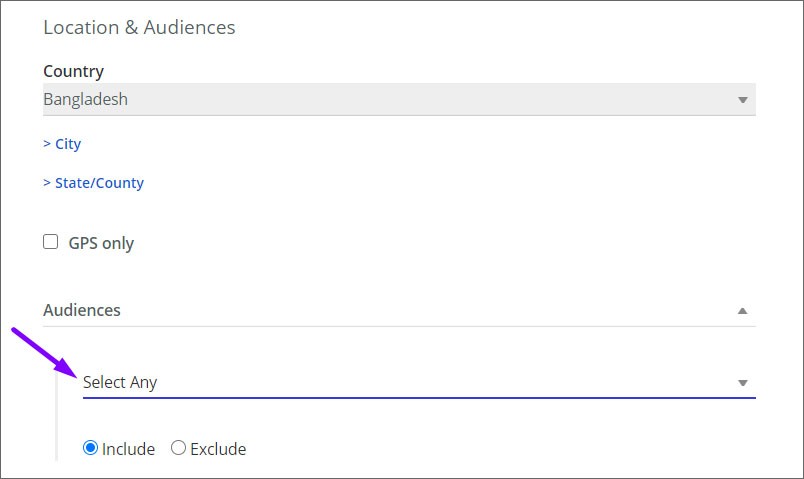
Once your **Geolocation Audience** is created, you can apply it to your campaign:
1. Open the campaign you want to edit.
2. Navigate to the **Audience Targeting** section.
3. Select the **Retargeting Apps/Sites Visitors Audience** you created.
4. Save the campaign settings.
[](https://manual.eskimi.com/uploads/images/gallery/2021-01/app-5-ps.jpg)
---