# Why do we need Open Files?
#### **[](https://manual.eskimi.com/uploads/images/gallery/2026-09/zqTowzmQ2YRDRpwd-midscroll-1.png)**
#### **SEPARATE ELEMENTS**
In an [Open File](https://manual.eskimi.com/books/eskimi-creative-studio-101/page/what-are-open-files "What is an Open File"), these elements remain separate:
- Logo
- Headline and other text
- Product images
- Background
- Buttons
- Colours, etc
This means we can move, resize, replace or edit one element without changing everything else.
##### **WHY WE NEED SEPARATE LAYERS**
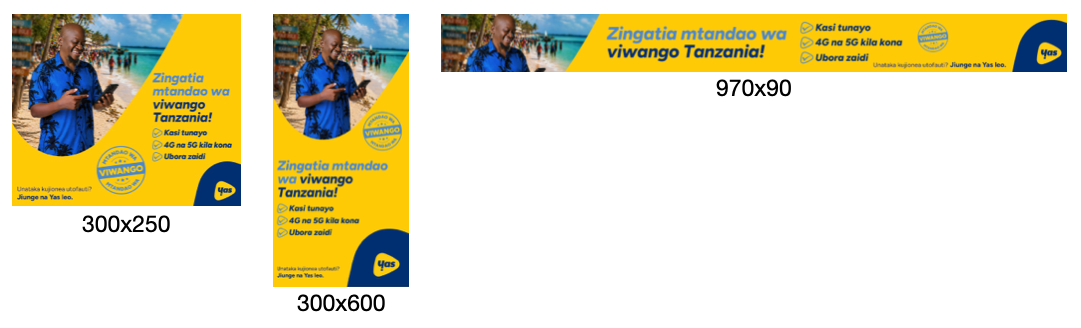
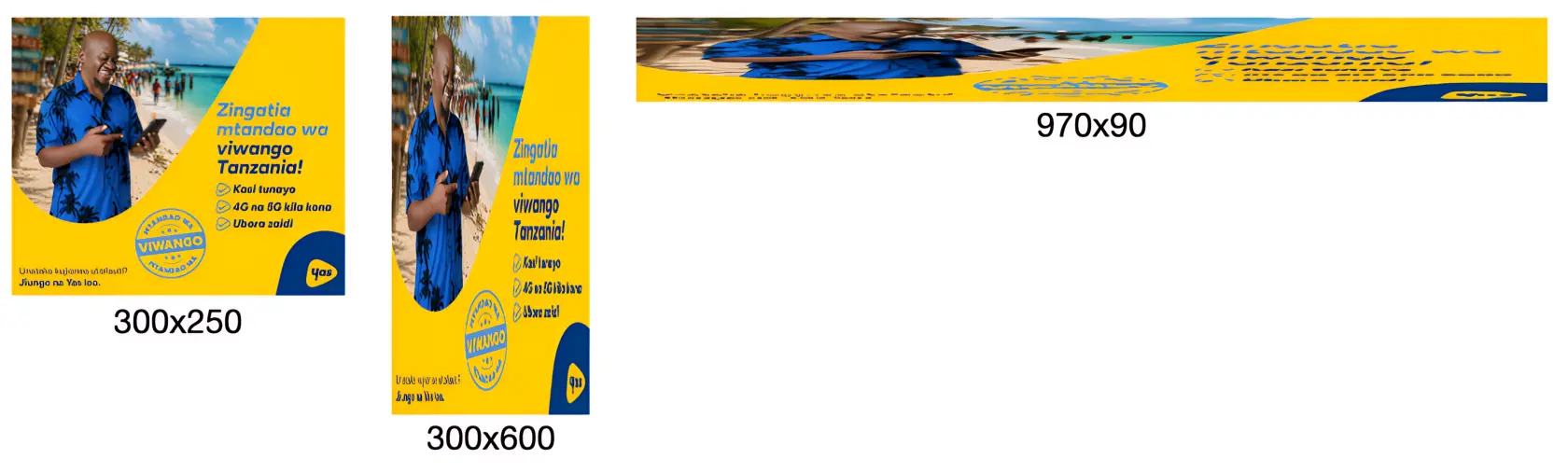
To resize your banners for different ratios, we need to physically move the individual design elements independently within the full image itself; we cannot simply stretch a 300×250 banner into a 970×250 banner (as an example - this principle applies to all sizes); it would look like this:
**WHAT IT SHOULD LOOK LIKE**
[](https://manual.eskimi.com/uploads/images/gallery/2026-09/su3BkDkpB3Mu2N1Q-what-its-meant-to-look-like.png)
**WHAT IT ENDS UP LOOKING LIKE**
[](https://manual.eskimi.com/uploads/images/gallery/2026-09/fKrUBlEvKaFHvE8V-what-it-ends-up-looking-like-upscaled.png)
*See this in action [here](https://dsp.eskimi.com/preview/creative-set/BDlsoqpk "Stretched static banners").*
This is important because **proper resizing requires us to work with individual elements independently** to:
- Move a product without moving the background
- Move a logo separately from the headline
- Resize and reposition assets for different formats
- Optimise layouts for different screen sizes
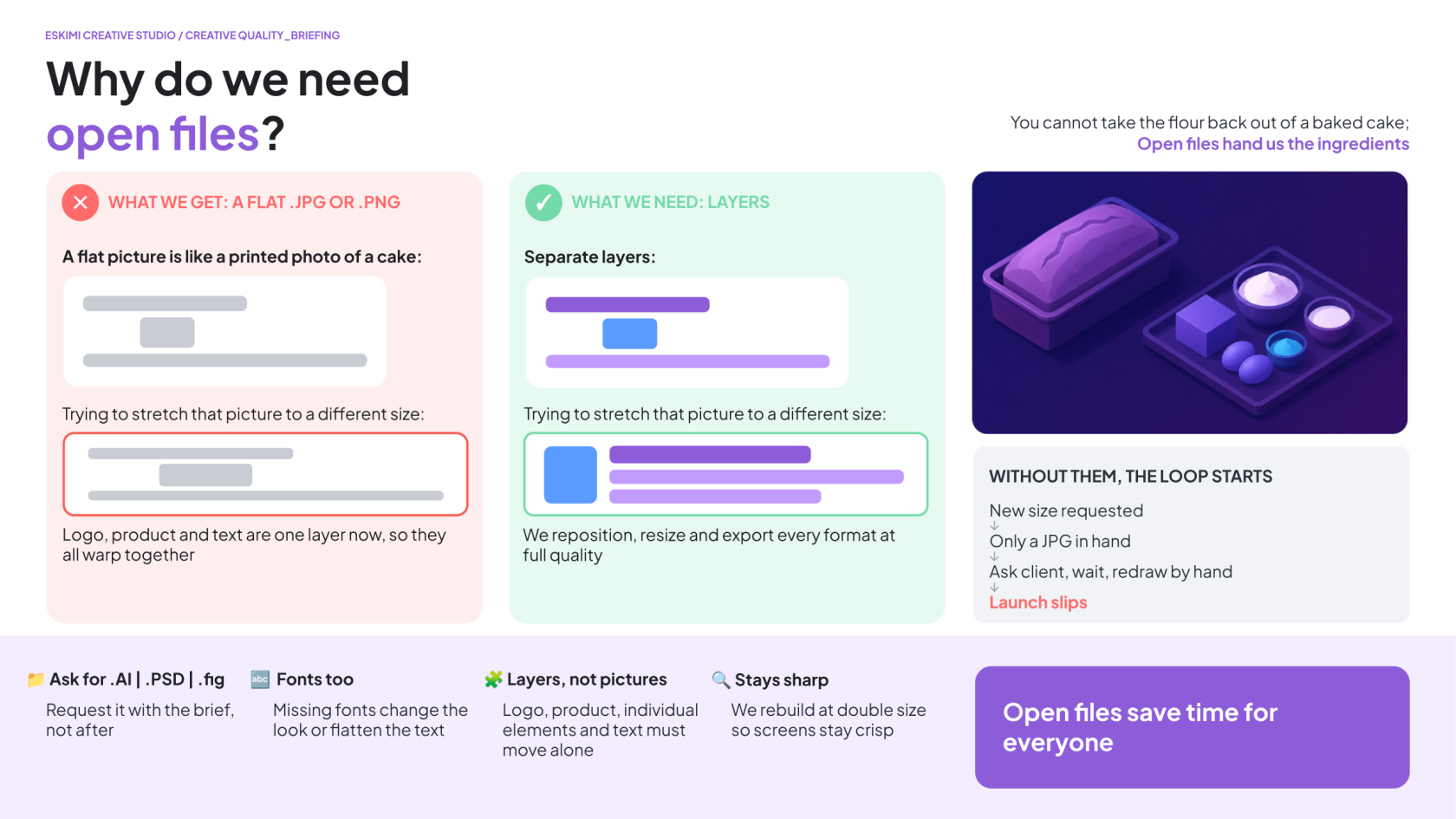
When we only receive a flattened image (.JPG, .PNG, etc), none of these elements exist separately anymore - to us, **the entire banner becomes a single picture**.
Imagine it like receiving a photo of a loaf of bread and being asked to change the flour - the flour is already baked into the bread; they’re no longer separate elements that can be changed.
The same applies here. Without [layered source files](https://manual.eskimi.com/books/eskimi-creative-studio-101/page/what-are-open-files "What are Open Files"), we cannot accurately isolate products, logos, text, backgrounds, buttons, or other creative elements.
[](https://manual.eskimi.com/uploads/images/gallery/2026-09/IiGTvaxQE0wlBdgX-why-we-need-open-files.png)
---
**⚠️ 3D projects have their own separate, additional asset requirements. Read the 3D-modelling specific Help Page** ***[here](https://manual.eskimi.com/books/eskimi-creative-studio-101/page/3d-and-high-impact-format-ts-cs "3D Projects").***
*\*Read more about what Open Files are [here](https://manual.eskimi.com/books/eskimi-creative-studio-101/page/what-are-open-files "What are Open Files").*