Campaign Approval for Self-Service Accounts
Overview
Every campaign created in a self-service account is reviewed by our team before it can start delivering. The review protects advertisers, publishers and users by making sure creatives are safe, transparent and comply with our creative guidelines.
Once you submit a campaign for approval, it stays in a pending state until the review is complete. You will see the result in the platform: the campaign is either approved and starts according to its schedule, or rejected with a reason explaining what needs to change.
How it works
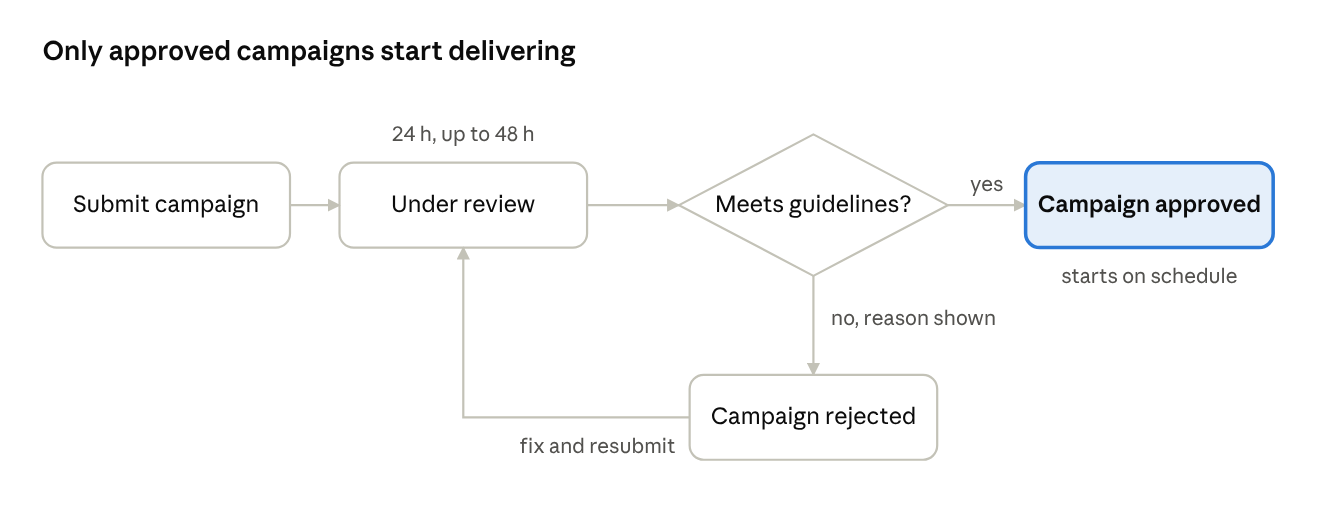
You submit the campaign, our team reviews it, and it is either approved and starts on schedule or rejected with a reason. A rejected campaign can be fixed and submitted again.
Review times
Most campaigns are reviewed within 24 hours of submission. Campaigns that need a closer look, such as those using third-party JavaScript or VAST tags, may take up to 48 hours.
- Submit campaigns well ahead of the planned start date. We recommend at least 48 hours before launch.
- Requests submitted on weekends or public holidays are reviewed on the next business day.
What we review
Our core requirement is simple: our team must be able to see and verify the ad content behind every creative.
|
Element |
What we check |
|---|---|
|
Image and video creatives |
The content complies with our creative guidelines and advertising policies |
|
JavaScript tags |
The tag loads the advertiser's own creative, and the content it serves can be viewed and verified |
|
VAST tags |
The VAST URL returns a valid video creative that can be viewed and verified |
|
Landing pages |
The page works, is safe, and is related to the advertiser's brand |
Landing pages. The landing page domain does not need to match the advertiser's brand name exactly, but it must be clearly related. For example, a product page on the brand group's global domain is accepted.
Common rejection reasons
|
Reason |
How to fix it |
|---|---|
|
The tag loads a third-party ad network, ad server passback or another ad tag instead of the creative |
Use a tag that serves your own creative directly. Tags that pass the impression on to other ad networks are not accepted |
|
The creative behind the tag cannot be viewed or verified |
Make sure the tag renders the full creative when opened, without login, geo or domain restrictions |
|
The VAST tag does not return a playable video |
Check that the VAST URL is valid, publicly accessible and returns a video file |
|
The landing page is not related to the advertiser |
Use a landing page on the advertiser's own or brand-group domain |
|
The landing page does not load or redirects to an unrelated or unsafe site |
Fix the URL and avoid redirect chains to other domains |
|
The creative breaks our creative guidelines |
Review the creative guidelines and update the creative before resubmitting |
If your campaign is rejected
A rejected campaign shows the rejection reason in the platform. To get it approved:
- Read the rejection reason on the campaign.
- Fix the creative, tag or landing page it refers to.
- Submit the campaign for approval again. It goes through the full review and the same review times apply.
If the reason is unclear, contact your account manager or our support team and include the campaign ID.
Before you submit
- Every creative serves your own ad content and can be viewed in full
- JavaScript and VAST tags contain no third-party ad network loaders or passbacks
- Tags are accessible without geo or domain restrictions
- Landing pages load correctly and are related to your brand
- Creatives follow the creative guidelines
- The campaign is submitted at least 48 hours before the planned start
Account safety. Accounts that show suspicious activity or repeatedly break our guidelines may be suspended. Suspension decisions are final.