JavaScript Creatives (HTML5)
HTML5 - a banner type of creatives, that created using JavaScript, HTML, and CSS. They can include images, animations, videos, or any combination of these elements. The creatives can support a variety of engagements: taps, shakes, clicks, etc.
HTML5 (js) creative requirements:
- Creative must be full SSL compliant (all requests from https). The landing page also https
- HTML file must be called as index.html
- HTML5 creative must have ClickTag macros, one of {CLICK_URL}, {CLICK_URL_ENC}, {CLICK_URL_ASYNC}. Click tag has to be inserted in the main RM creative file (if it's HTML5 - index.html file; if it's a JavaScript tag - main JS tag).
- All creatives must open the landing page (click URL) in a new tab/window. The target window for the click-through URL must be set to "_blank" so the click-through will open in a new window. Do not leave the target statement undeclared.
- Ads must remain static after 30 seconds.
- Creatives may not exceed a 150K initial load. The total download cannot exceed 5MB.
- HTML5 creative code has to be valid and pass validator - https://validator.w3.org. Also no errors in the browser console.
For Google Web Designer or GWD requirements. Please read this article: Google Web Designer banner creation.
HTML5 (js) creative uploading process:
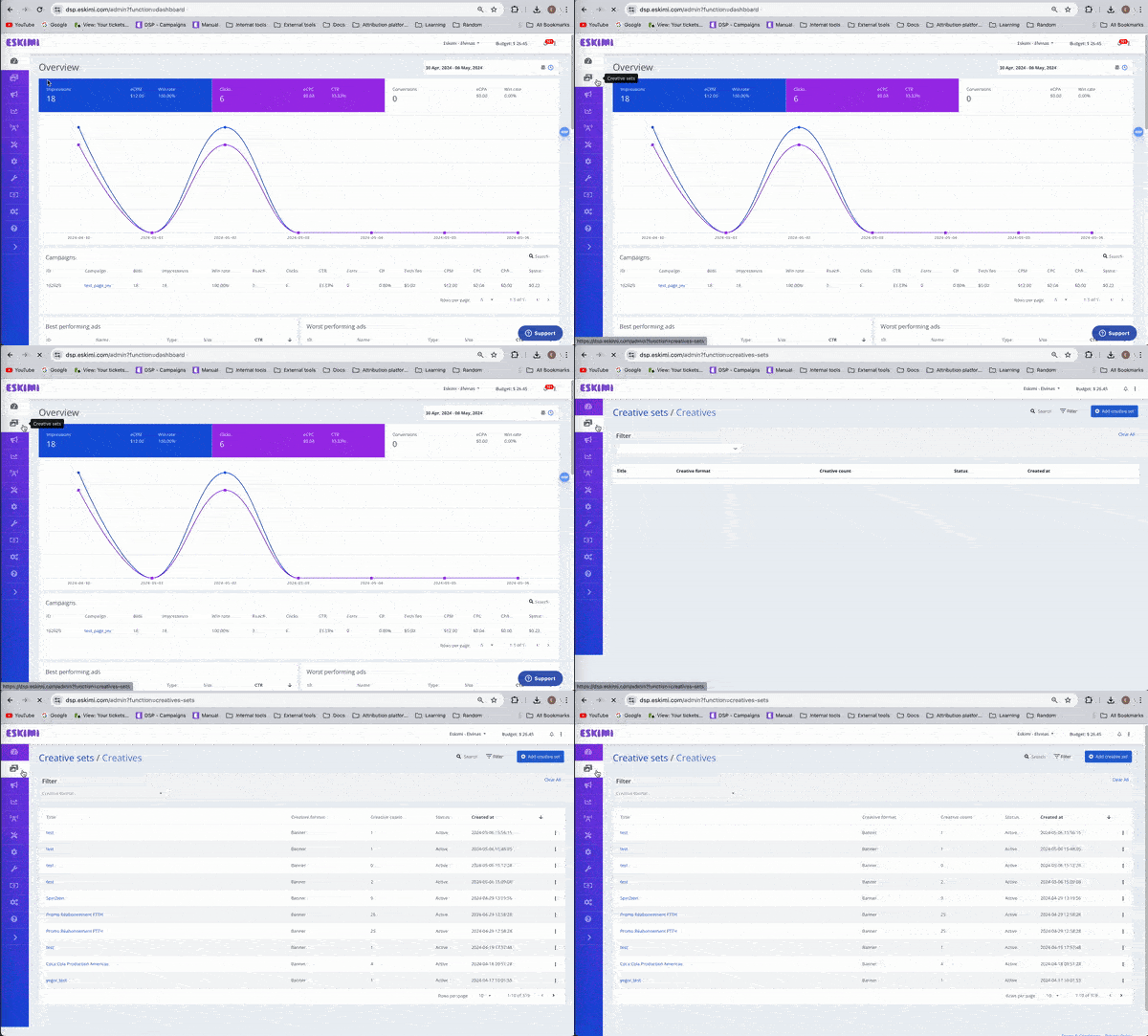
Log in to your DSP account, go to Creative Sets

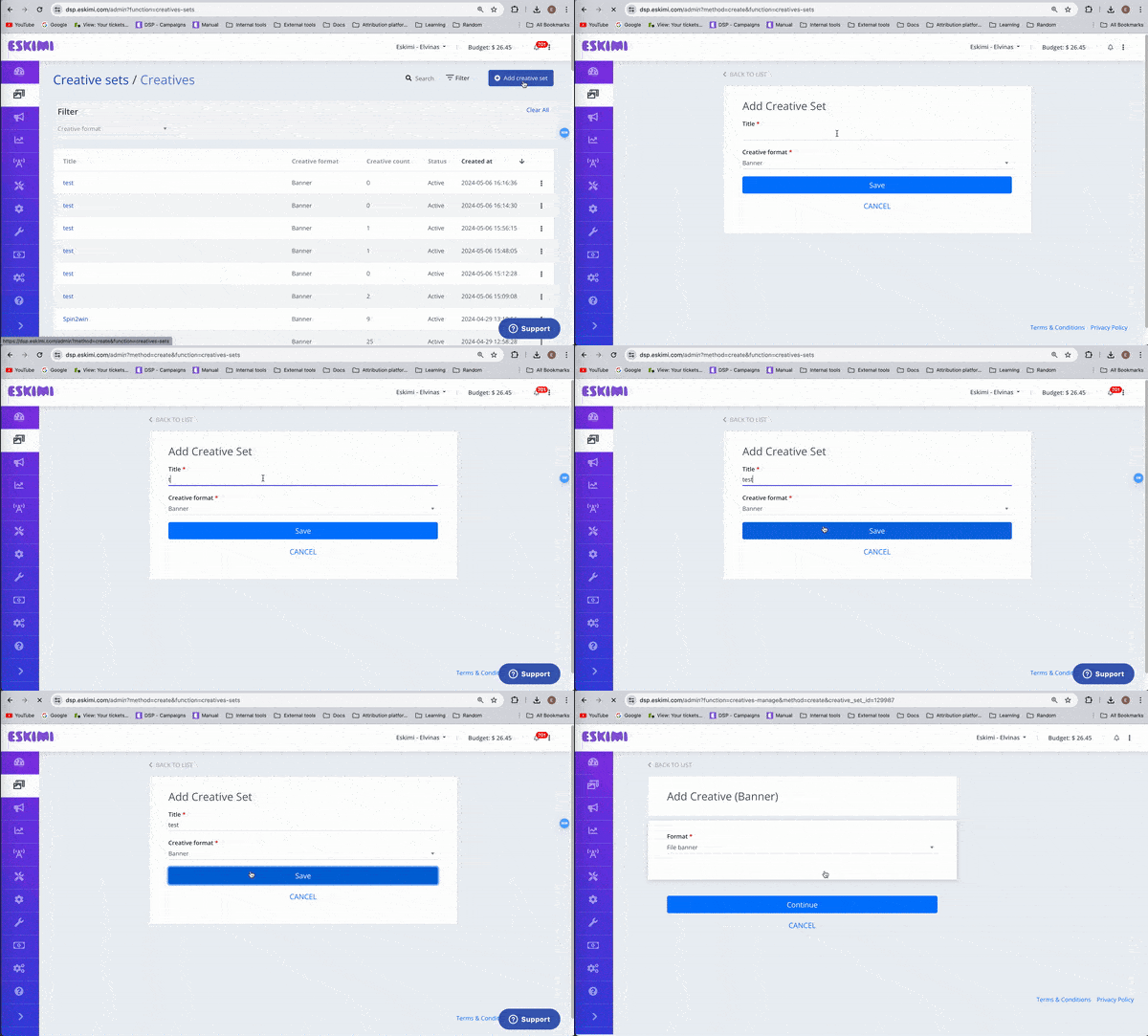
On the new page click "Add creative set"
On the next page indicate the creative sets Title and select the Banner format.

Then select Javascript tag format and click "Continue".

You will see 2 ways to upload the creatives.
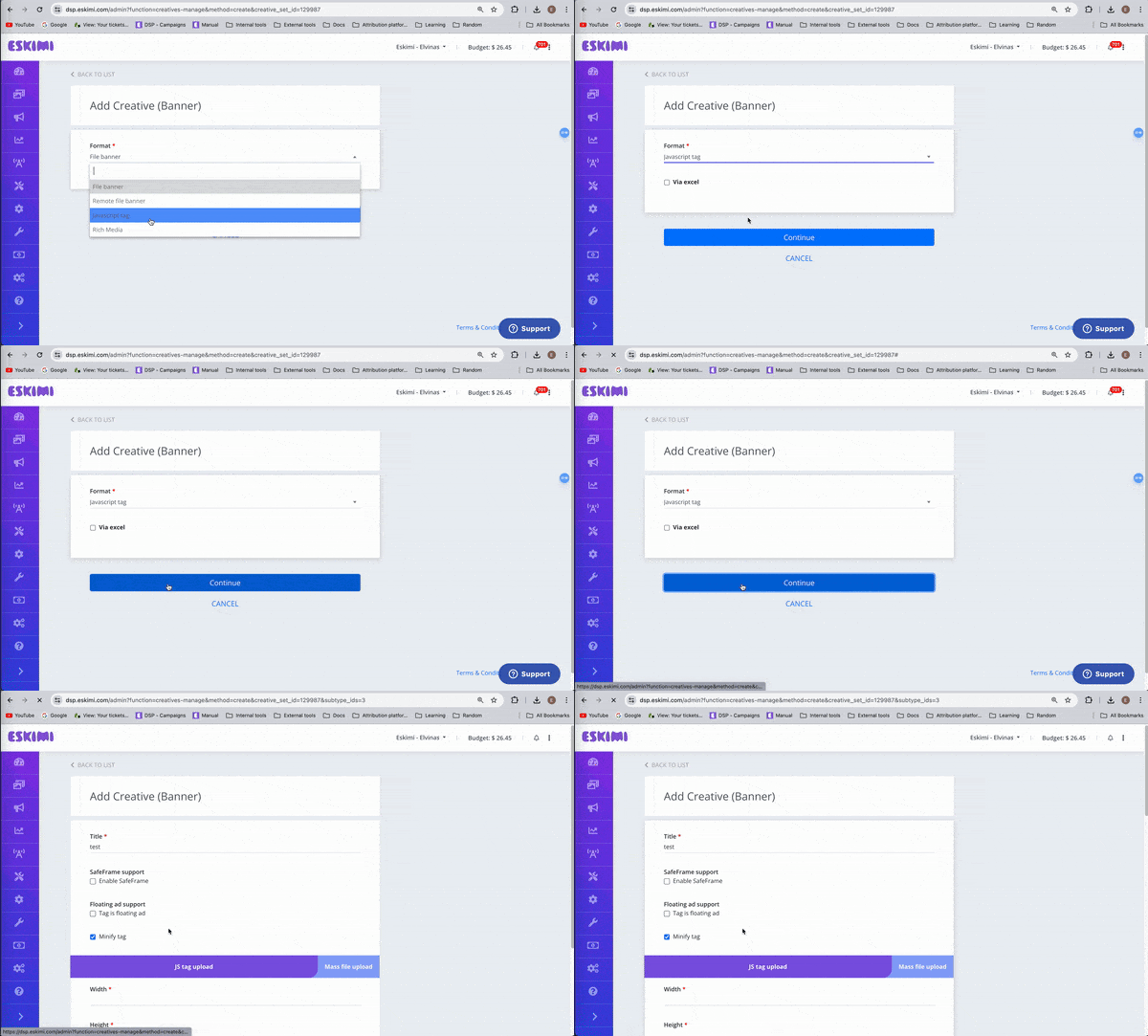
- Direct JS tag upload - For this method you just need to enter the size of the creative and PASTE the JS code in the code block.

-
Click on Mass File Upload (used for single creative uploads as well) -> click on Choose File -> select creatives you want to upload. The creatives size will be detected automatically if it's visible in the index.html file.

