Campaign Optimisation
Basic campaign optimisation flow
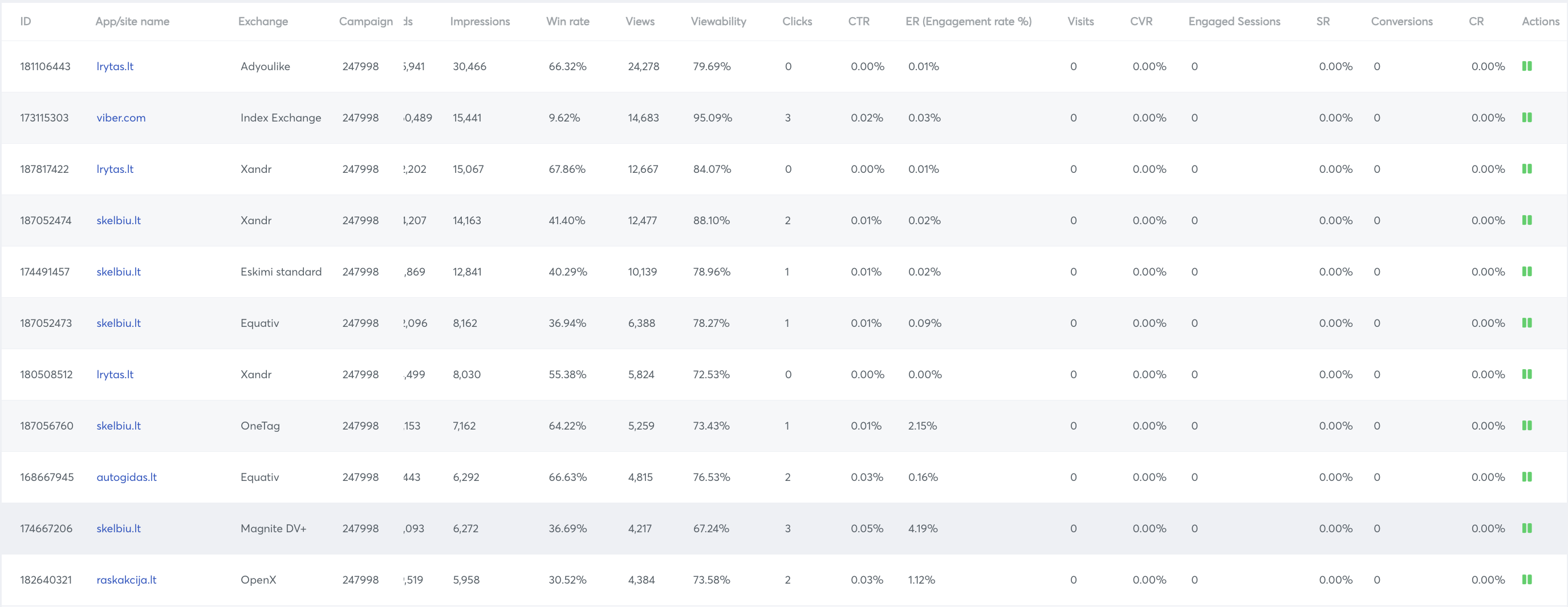
Campaign Optimisation by App/Site
Steps how to do it:
- Press the three dots on the campaign you want to optimize.
- Select Targeting Optimisation.
- Change the filter to optimise by App/Site Name.
- Choose a period.
- Press Search.
Action column meanings:
- Play (red) - The site/app is not bidding and user can start bidding on this site/app by clicking on the play icon
- Pause (green) - The site/app is bidding and user can stop bidding on this site/app by clicking on the pause icon
Advance filter in campaign optimisation
In campaign optimisation page there is an advance filter. Using this there is a possibility to filter data more efficiently:
- There is an option to add as many filter (rows) we want by clicking on Add new dimension or metric
- To add a new row we get 2 options, AND & OR
- AND: Both of the logics have to be true(rows around it) at the same time
- OR: Any one of the logics must be true (rows around it)
- We can include/ exclude to include/ exclude any condition
Example: We can exclude apps/sites for which impressions are less than 100000

- Using the source/ medium filter we can use Bids, impressions, Win Rate, Views, Viewability, Clicks, CTR, Conversions, CR, CPM, CPC, CPA and Spent
- Using the containing filter and value filter we will be able to complete the logic. In containing we will use the relation with the value.