
Bounce Rate Optimisation via Eskimi DSP
When you’re advertising online, one of the key factors for successful ads is the quality of your website. If you’re trying to determine your website’s relevancy, Bounce Rate is the metric to follow. The importance of Bounce Rate as a measurement is that it shows how effective your website and marketing materials are. Bounce Rate measures visit quality. High Bounce Rate generally indicates that the site entrance (landing pages) aren't relevant to your visitors. Eskimi DSP gives the possibility to not only track Bounce Rate performance on Google Analytics via UTM tags, but to optimize the campaigns with the data collected. Therefore, we would like to share a few steps on how to export the necessary data to improve your digital campaign performance.
Bounce Rate OptimizationOptimisation Steps in Google Analytics 4
StepEskimi's #1:default GoUTMs toput the “Acquisition”site sectionID ininto the ad content (utm_content=eskimidsp_{site_id}), so GA4 can show bounce rate per site.
- In your Google Analytics
account.4Stepproperty,#2:Go downgo to Reports → Acquisition → Traffic acquisition. - Change the
“Alltable'sTraffic”primarysection.dimensionto
StepSession#3:source / mediumClickand search for eskimi / cpm. - Add the secondary dimension Session manual ad content. Each row is now one site ID (eskimidsp_{site_id}).
- If Bounce rate is not in the table, add it with Customize report → Metrics. (In GA4, bounce rate is the share of sessions that were not engaged.)
- Sort by bounce rate and look for sites with a clearly higher bounce rate than the campaign average, on
“Source/Medium”.a
meaningful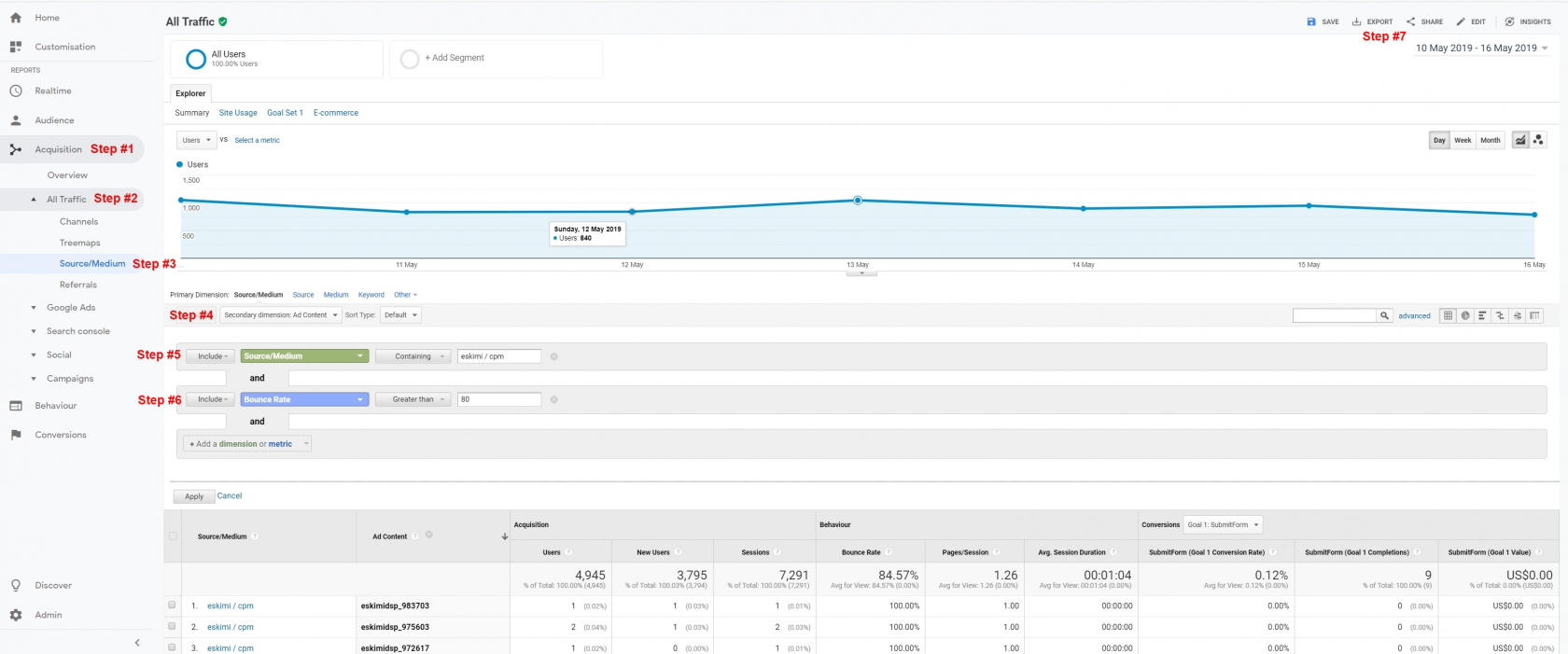
Stepnumber#4:ofViasessions. - Export the
datatable:toShareathisCSVreportfile.→ Download file → CSV.
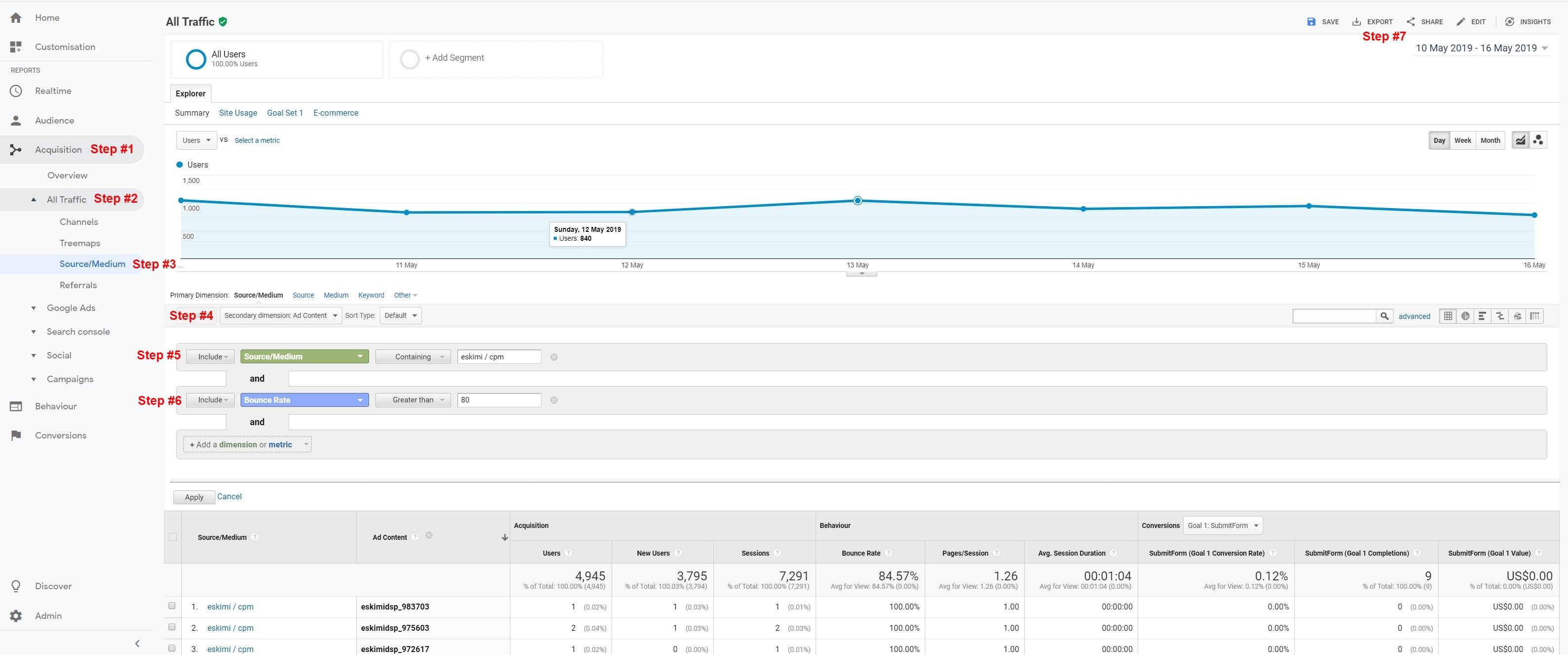
Step #5: Include “Source/Medium” containing “Eskimi / CPM”.
Step #6: Include “Bounce Rate” greater than 80.
Step #7:
Google Analytics 4 measures bounce rate differently from the old Universal Analytics, so thresholds used before 2023 (such as "above 80%") no longer apply. Compare sites against the campaign's own average instead.