
Remote VAST URI
How to upload Video Remote VAST URI:
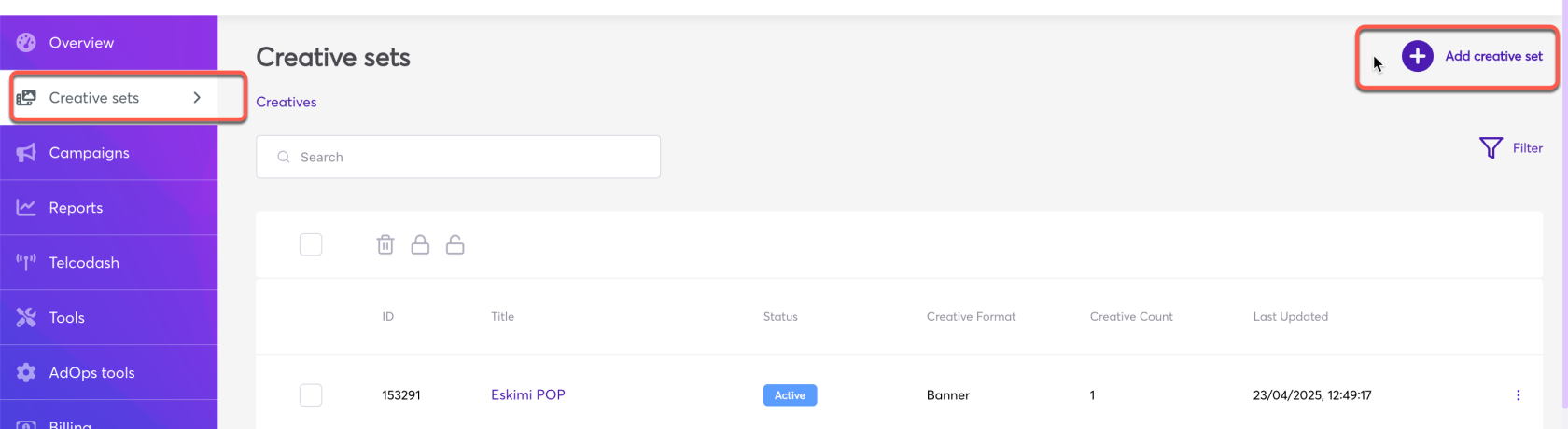
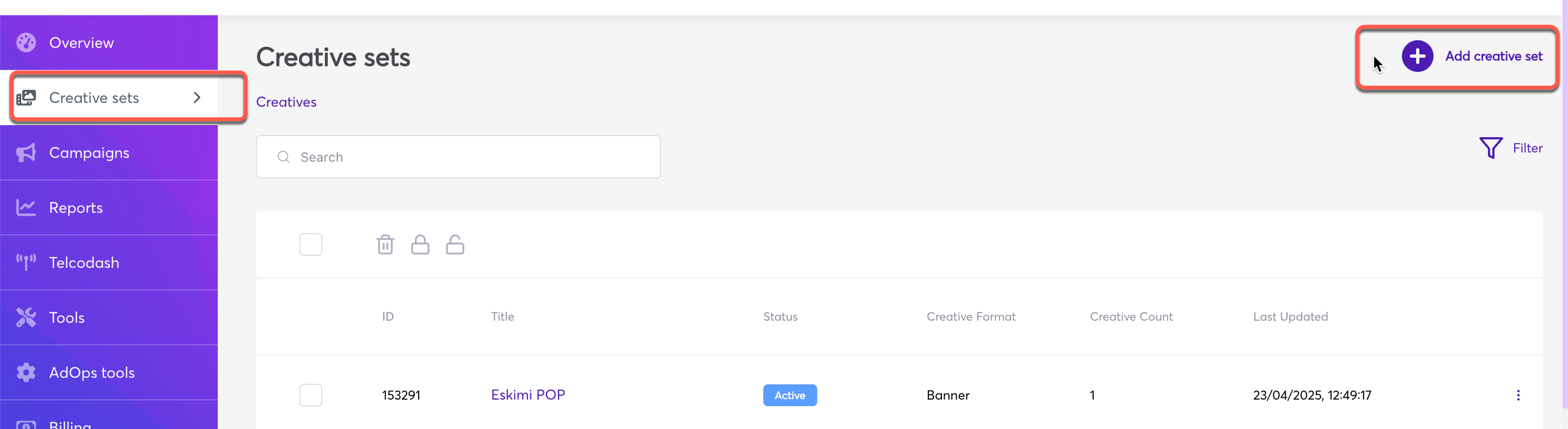
Log in to your DSP account > go to "Creative Sets" > and click "Add creative set".
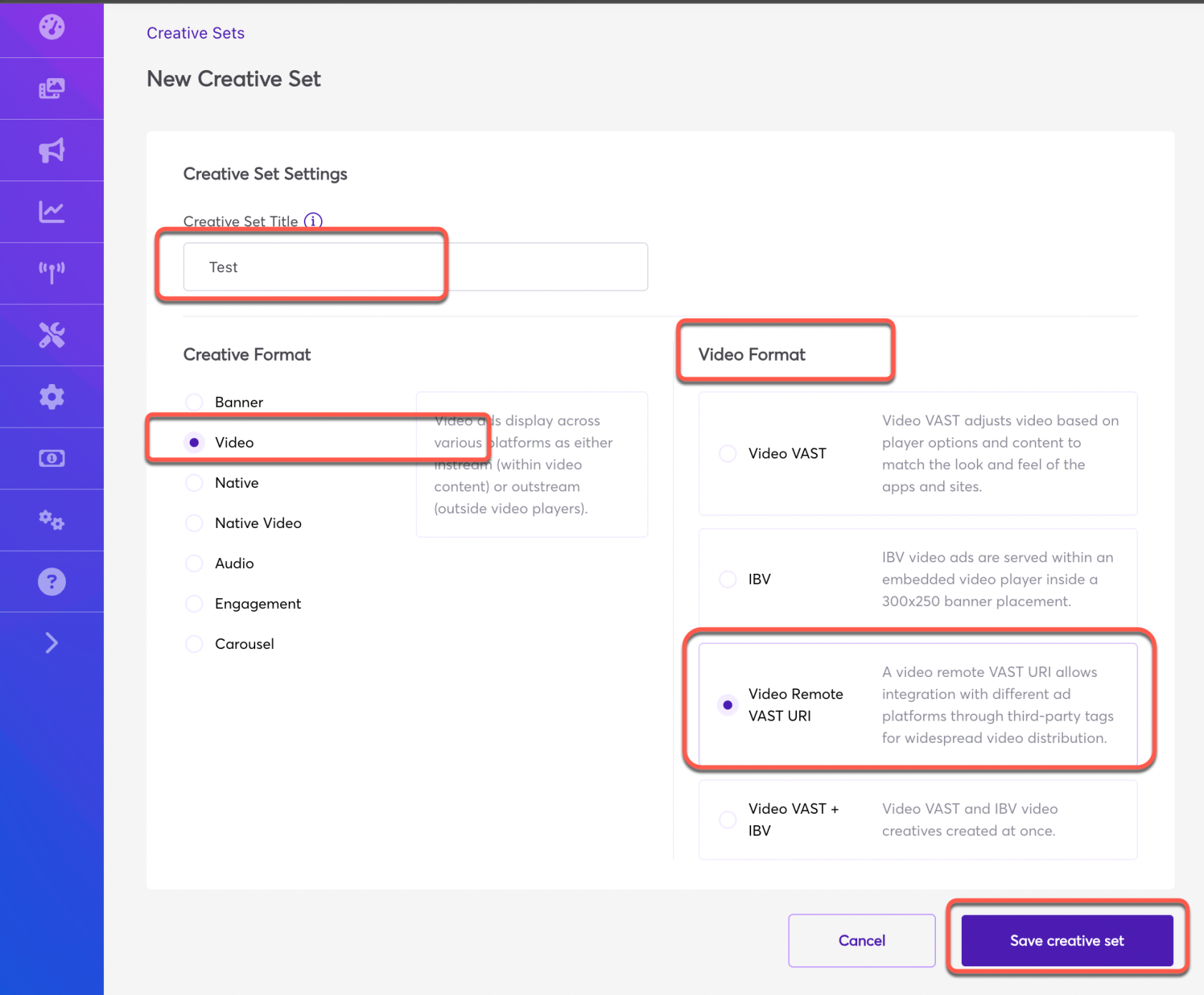
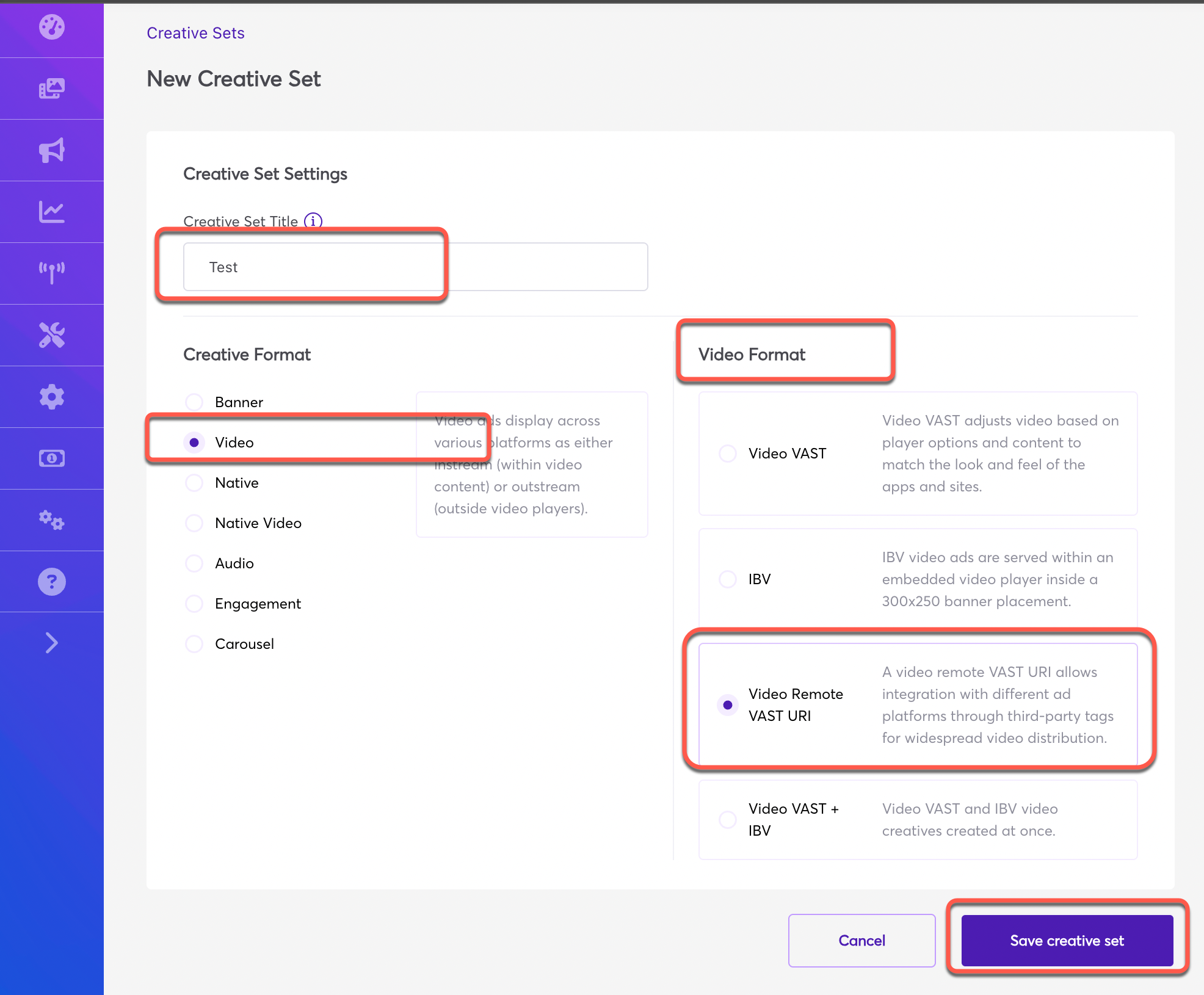
Give the Creative set a name > select the Creative Format "Video" > select the video format as "Video Remote VAST URI"
Paste the creative tag in the box and hit save button (Tick Tracking if there is any):
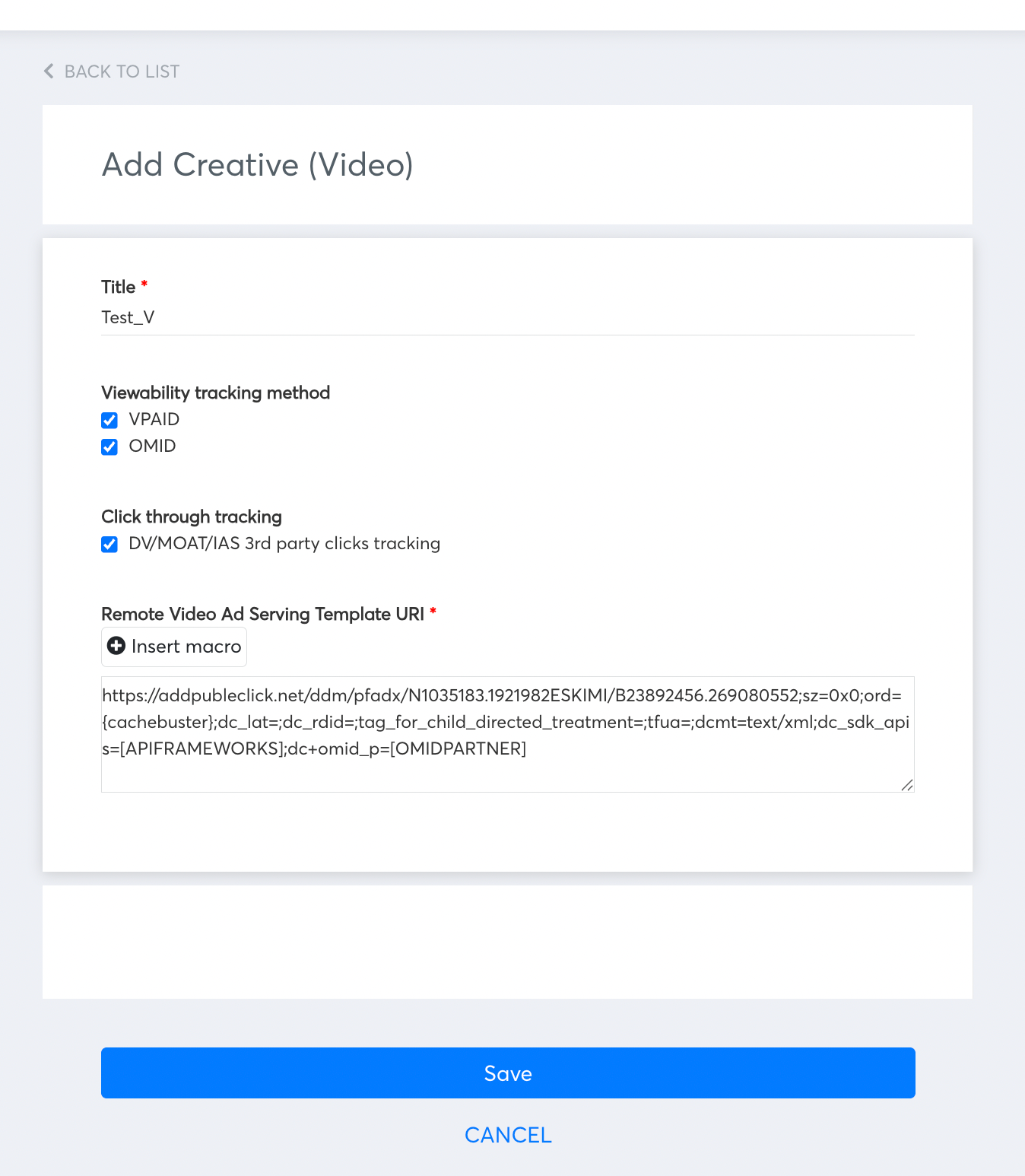
*** N/B: Viewability tracking method VPAID and OMID should be automatically selected. If not, make sure to select cause it will affect the viewability tracking in the reporting.